
A gas fireplace remote not working is usually a power or pairing fault, not a broken fireplace: dead handset batteries, dead receiver batteries (most systems take 4 AA), a receiver switch left on ON or OFF instead of REMOTE, or a receiver that lost the handset’s code and needs re-pairing with its learn or reset button.
Does the receiver beep when you press ON? The 30 second test that finds the dead part
Listen to the receiver: if it beeps, the handset and radio link work and the fault is on the fireplace side; if it stays silent, look at the handset, the receiver’s power or the pairing. SIT says a single beep from the Proflame 2 receiver “will confirm reception of the command,” and Maxitrol says the GV60 receiver “confirms transmission with an acoustic signal” (SIT Proflame 2 transmitter instructions).
Test within the stated range: Skytech gives 20 feet, Valor 15 feet (4.5 meters) for the GV60 PLUS and Enviro 30 feet for Dexen. Maxitrol lists “The receiver is surrounded by metal” as a cause of no transmission (Maxitrol GV60 troubleshooting guide).
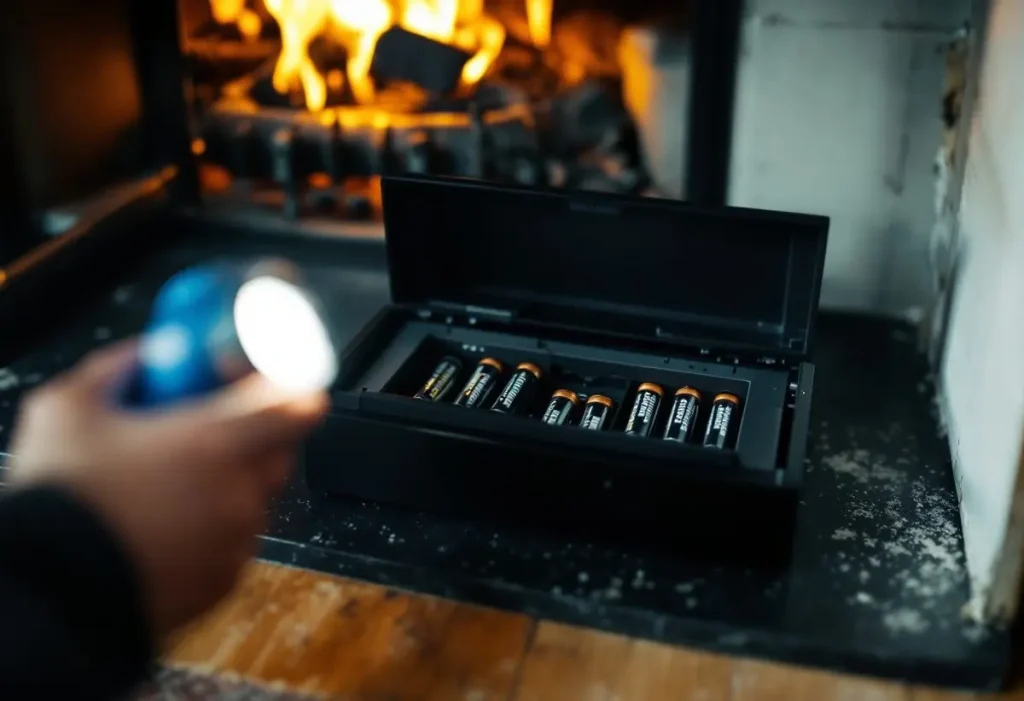
Which batteries does each gas fireplace remote system take, and where is the receiver?
The handset and receiver have separate batteries; a fresh handset will not help if the receiver’s 4 AA cells are flat.
| System (maker document) | Handset | Receiver or control module | Receiver switch | Stated range |
|---|---|---|---|---|
| Skytech 3301P2 | 2 AAA alkaline | 4 AA alkaline; replace below 5.3 volts for all four | ON / REMOTE / OFF slide | 20 feet |
| Mertik Maxitrol GV60 (Valor) | 1 x 9 V | 4 x 1.5V AA, or an approved AC Mains Adapter | ON/OFF switch, if equipped | 15 feet (Valor GV60 PLUS) |
| SIT Proflame 2 (Napoleon, Regency, Kingsman) | 3 AAA | 4 AA battery holder, or IFC on line voltage with 4 x AA backup | 3 position slider, REMOTE in the middle | Not stated |
| Dexen 8K1N (Enviro) | 3 x 1.5V AAA | 6VDC adapter with 4 x 1.5V AA backup | ON/OFF/REMOTE | 30 feet |
| IntelliFire Touch 2.0 (Hearth & Home Technologies) | RC450 touchscreen | 6V AC/DC adapter; 4xAA pack for outages | ON/OFF/REMOTE plus master reset switch | Not stated |
The receiver usually sits inside the fireplace: Skytech allows it “under the fireplace, behind the control access panel or louvers,” and Regency says its Proflame receiver “is typically hidden within the unit” (Regency). Let a hot unit cool first, and pry cells out with no metal tool: Maxitrol says “Metallic tooling could cause a short that may render the receiver inoperable” (Maxitrol GV60 operating instructions).
Why is the gas fireplace remote not working after a battery change?
On a Skytech system it is probably the code: Skytech says LEARN must be pressed “upon initial use, if batteries are replaced, or if a replacement transmitter is purchased” (Skytech 3301P2 manual). Valor says the GV60 PLUS sync “is a one time setting only and is not required when changing the batteries” (Valor GV60 PLUS manual), and an IntelliFire Touch 2.0 remote needs re-pairing “only” after the RF module or remote is replaced (IFT 2.0 field service guide).
Then check the cells. Skytech says four new AA batteries give 6.0 to 6.2 volts, the receiver needs more than 5.3 volts, and a handset pair below 2.5 volts should be replaced; bend the handset contacts in “for tighter fit.” Expect alkaline cells to last “at least 12 months,” less in a hot receiver.
How do you re-sync a gas fireplace remote to its receiver?
| System | Receiver step | Then on the handset | Success sound | Re-pair after new batteries? |
|---|---|---|---|---|
| Skytech 3301P2 | Switch on REMOTE; press and release LEARN in its hole until it beeps | Press MODE | Several beeps | Yes, per Skytech |
| Maxitrol GV60 (installer guide) | Hold reset until 2 signals; release after the second, longer one | Within 20 seconds press the down arrow | One additional long signal | Not stated |
| Valor GV60 PLUS | Hold reset with a sharp object until one short and one long beep | Within 20 seconds press the small flame button | Two short beeps (one long beep means failed or bad wiring) | No, per Valor |
| Proflame 2 battery holder (Napoleon LV50N) | Slider on REMOTE; press PRG with a paper clip; 3 beeps | Press ON within 10 seconds | 4 beeps | Not stated |
| Proflame 2 receiver (Regency) | Hold the black Reset button until 3 quick beeps | Turn the remote off, then on | 3 more quick beeps | Not stated |
| Dexen 8K1N (Enviro) | Switch on REMOTE; press LEARN; 1 beep, green LED blinks 10 seconds | Press POWER while the LED blinks | Double beep | Not stated |
| IntelliFire Touch 2.0 | Switch on REMOTE; press the pairing button; green LED blinks up to 60 seconds | Tap the pairing icon on the RC450 | Double beep | No; only after replacing the remote or RF module |
If the first try fails, Skytech says to “wait 1-2 minutes before trying again” and try two or three more times. Enviro says a Dexen remote “will not be programmed if it’s in STANDBY mode” (Enviro Dexen user manual). The Napoleon row comes from the LV50N manual (ManualsLib copy); other Napoleon models may use another system.
Is the receiver switch on ON, OFF or REMOTE?
It must be on REMOTE, the middle position on Skytech and Proflame receivers. Skytech says its receiver “will only respond to the transmitter” there and “will not LEARN” on ON or OFF. Skytech suggests OFF for long absences, so a receiver switched off last spring is a common November culprit.
A wired wall switch can override the remote: Enviro says a Dexen fireplace “cannot be turned off by remote if an external wired switch is installed and in the ON position.” On a GV60, Maxitrol ties “One 5 second continuous tone” with no ignition to an ON/OFF switch left OFF.
Why does the receiver beep and then shut the fireplace off?
Usually it is a designed safety timeout. Skytech’s 3301P2 handset checks in every 15 minutes; when the receiver stops hearing it, a 2-hour (120 minute) countdown starts, then the fireplace shuts down and the receiver beeps until MODE is pressed. A Skytech receiver that reaches 130°F shuts down and beeps “4 beeps every 2 seconds.” The overnight burning rules cover how these timers affect a long burn.
Low receiver batteries are the other cause. Maxitrol says “3 short beeps while the motor turns” mean low GV60 batteries, and Valor says low battery-holder power “shuts off the fire completely.” A Proflame 2 receiver gives a “double-beep” when low, “and after that no more command will be accepted” (Kingsman Proflame 2 manual). GV60 thermostat remotes drop to pilot after a 6 hour gap in transmissions.
The remote beeps but the fireplace won’t light: is it the pilot or the valve?
A receiver that beeps has done its job, so look at the gas side. On a standing pilot valve, Skytech’s own system check starts with “Confirm that the pilot flame is ON; and the control knob on the gas valve is in the ON position.” If the pilot keeps dropping or the burner will not fire with the pilot lit, the pilot and thermopile diagnosis walks through the millivolt tests.
On GV60 electronic ignition, Maxitrol’s chart says pilot lit with no main gas can mean the manual override knob is in MAN or the valve is turned down to pilot; constant sparking with no pilot points to air in the line, the spark gap or the receiver. Its thermocouple test needs at least 5mV at the valve, which is technician work. If you smell gas, stop and call the gas supplier from outside. Any room with a gas fireplace needs a CO alarm sited per our CO detector placement guide.
Can you run a gas fireplace without the remote, or during a power outage?
Usually yes, from the receiver. Sliding a Skytech receiver to ON “will manually turn ON the appliance.” A Proflame 2 module can be “reset to a manual system” with a switch on its X4 connector after pressing the red SW1 button until it beeps three times and again within 10 seconds; SIT says that in a remote malfunction you turn the IFC off with its ON/OFF main switch.
Outages need backup cells. Enviro says a Dexen fireplace keeps running on its 4 AA backup but “will shut off” if they are missing or dead; Maxitrol says a GV60 AC Mains Adapter must be unplugged to run on batteries; Kingsman recommends new 4 x AA batteries before each heating season. More in keeping a house warm in a power outage; a gas fireplace insert uses the same controls.
Frequently asked questions
What is learning mode on a gas fireplace remote?
Learning mode is the short window when the receiver accepts a new handset code. You start it with the receiver’s LEARN, PRG or reset button, then press a handset button. Skytech’s 3301P2 receiver beeps when LEARN is released; a Proflame 2 battery holder beeps 3 times and the handset’s ON must follow within 10 seconds.
Skytech gas fireplace remote not working: what should you try first?
Check the receiver’s slide switch is on REMOTE, fit 4 fresh AA alkaline cells in the receiver and 2 AAA in the handset, then press LEARN and MODE. Skytech says the receiver must re-learn the code after batteries are replaced, and that a failed attempt needs a 1 to 2 minute wait before retrying.
Napoleon gas fireplace remote not working: how do you re-pair it?
On Napoleon models with the Proflame 2 battery holder, such as the LV50N, fit 4 AA cells, set the 3 position slider to REMOTE, press PRG with a paper clip, wait for 3 beeps, then press ON within 10 seconds. Napoleon says 4 beeps confirm the handset’s command was accepted.
Heatilator gas fireplace remote not working after a power outage: does it need re-pairing?
Not on IntelliFire Touch 2.0 controls. Hearth & Home Technologies says the system stays paired through an extended outage and the RC450 reconnects within four minutes once power returns or the 4xAA backup pack has fresh cells. Check the control module is on REMOTE and its master reset switch is ON.
Can you use any gas fireplace remote replacement?
No. The handset must match the receiver’s system and radio frequency: Skytech’s 3301P2 runs on 303.8MHZ, while the Maxitrol GV60 and SIT Proflame 2 use 315 MHz in the U.S. Valor says a replacement handset or receiver needs the receiver reset so the two work together.
How we researched this
We read Skytech’s 3301P2 instructions (REV. 5-20-22), Maxitrol’s GV60 operating instructions and installer troubleshooting guide, Valor’s GV60 PLUS manual, SIT’s Proflame 2 transmitter instructions, Kingsman’s Proflame 2 manual, page 46 of Napoleon’s LV50N manual, Regency’s Proflame 2 page, Enviro’s Dexen manual and the Hearth & Home Technologies IFT 2.0 field service guide. Retailer blogs, forums and videos were excluded; Acumen and Monessen are not covered because we opened no maker document for them. Research date: November 24, 2026.
Sources
- Skytech II. “Model 3301P2 Installation and Operating Instructions” (REV. 5-20-22), retailer-hosted copy. https://cdn.shopify.com/s/files/1/1403/4773/files/3301P2.pdf. Accessed November 2026.
- Maxitrol Company. “GV60 Remote Electronic Ignition and Control System Installer Troubleshooting Guide” (G60-TS-EN-05.2005), hosted by Valor. https://www.valorfireplaces.com/media/pdfs/manuals/GV60_Madrona_Troubleshoot.pdf. Accessed November 2026.
- Maxitrol Company. “GV60 Operating Instructions” (GV60-OI-EN-04.2006), hosted by Valor. https://www.valorfireplaces.com/media/pdfs/manuals/Maxitrol_GV60_Valve.pdf. Accessed November 2026.
- Miles Industries (Valor). “GV60 PLUS Operation Manual.” November 2024. https://valorfireplaces.com/media/Remote/GV60-PLUS.pdf. Accessed November 2026.
- SIT. “Proflame 2 Transmitter Use and Installation Instructions” (9.957.099 00), hosted by Regency. https://assets.regency-fire.com/Files/Manuals-NA/Remotes/Proflame-II-Transmitter-Instructions. Accessed November 2026.
- Regency Fireplace Products. “Proflame 2 Remote Control Operation & Troubleshooting.” https://www.regency-fire.com/en/Owners/Service-Maintenance/Fireplace-Care-Guides/Remote-Control-Operation-Troubleshooting. Accessed November 2026.
- Napoleon. “LV50N Installation and Operating Instructions” (W415-1439), page 46, ManualsLib copy. https://www.manualslib.com/manual/986895/Napoleon-Lv50n.html?page=46. Accessed November 2026.
- Kingsman Industries. “IPI Electronic Ignition Proflame 2 Valve System” (IPI-MAN2, October 13, 2017), retailer-hosted copy. https://cdn.shopify.com/s/files/1/0354/7607/8636/files/Proflame_II_Manual.pdf. Accessed November 2026.
- Enviro. “Dexen User Manual” (C-16359 R3). https://enviro.com/custom_content/docs/manuals/C-16359%20Instructions%20Dexen%20User%20Manual%20R3.pdf. Accessed November 2026.
- Hearth & Home Technologies. “Field Service Guide for IFT 2.0 Control System” (2564-960 Rev B). https://downloads.hearthnhome.com/installManuals/Addendums/2564_960_IntelliFire_Touch_Controls_2-0_Field_Service_Guide.pdf. Accessed November 2026.
Leave a Reply