A Sensi thermostat flashing its “Set To” temperature is almost always A/C Protection, Copeland’s 5 minute compressor delay, and the AC starts when it ends. A flashing Wi-Fi icon means Wi-Fi setup mode, one flash of the whole screen means a reboot, and a Touch screen that only flashes is short of power.
Which part of your Sensi is flashing, and what does each one mean?
Copeland, which now publishes the Sensi manuals, documents six flashing behaviors across its four models (Sensi smart, Lite, Touch and Touch 2). Only one happens in normal operation: the 5 minute A/C Protection delay.
| What you see | Model | What Copeland says it means | What to do |
|---|---|---|---|
| “Set To” number flashing during a cooling call | Sensi smart (ST55), Touch 2 (ST76) | A/C Protection holds the A/C or heat pump off for 5 minutes | Wait; the app turns blue when it starts |
| No flash, but the “On” icon is late | Sensi Lite (ST25) | Same delay: “On” appears 5 minutes later | Wait 5 minutes |
| No flash, faceplate blue while the app stays gray | Sensi Touch (ST75) | Same delay | Wait 5 minutes |
| Wi-Fi icon flashing | Sensi smart | Connect mode, entered with Menu then Connect | Finish in the app, or press Exit |
| Whole display flashes once, then restarts | Sensi smart | A reset (up, down and Fan held together) | Reconnect Wi-Fi; allow 30 to 60 minutes |
| Time flashing at the top of the screen | Sensi smart with Wi-Fi off | Clock or schedule editing | Set with arrows, press Exit |
| “On” flashing in the Wireless (Setup) menu | Sensi smart | Wi-Fi radio setting open for editing | Press Exit |
| Touchscreen blank or only flashes after install | Sensi Touch | Not enough power from the system | Check the C wire for 20 to 30 VAC, RH to C |
Compiled by The HVAC Brief from Copeland Sensi support pages and manuals R-5029-2 and R-5021, November 2026.
Why is the “Set To” temperature flashing for 5 minutes before the AC starts?
Because A/C Protection is on. Copeland says the app setting “helps prevent damage to your equipment when cooling is turned off and back on quickly” by adding “a 5-minute delay before the Sensi will turn on the A/C or Heat Pump” (Copeland, A/C Protection). Quick off and on restarts are the compressor stress described in our AC short cycling guide.
Only two models flash during the wait. The often repeated claim that a Sensi flashes “Cool On” describes other brands: a Sensi smart shows the word “Cooling,” and Copeland names the flashing “Set To” number. For Honeywell or White-Rodgers screens, use our Cool On but AC not running page or the Emerson thermostat flashing lookup.
Copeland describes this only for a call for cooling. If the number flashes well past 5 minutes, or stops and the outdoor unit never starts, it is no longer the delay; use the click test below. Switching A/C Protection off in System settings removes the wait and the restart guard with it.
Why is the Wi-Fi icon flashing, or replaced by an X?
A flashing Wi-Fi icon on a Sensi smart means Connect mode, entered with Menu then Connect; Copeland’s steps note “your thermostat should still have the Wi-Fi icon flashing” while the app pairs, and the screen shows blank, 00, 11, 22 or 33 to pick the pairing path (Copeland, Reconnect to Wi-Fi).
An X in place of the Wi-Fi symbol means the thermostat “is not able to connect to your home Wi-Fi network”; Copeland’s first fixes are unplugging the router for 5 to 10 minutes and resetting the thermostat. The Sensi Lite (ST25) has no Connect menu: hold Mode for four seconds until the setup and Wi-Fi icons appear (Sensi Lite Installation Guide R-5664-3).
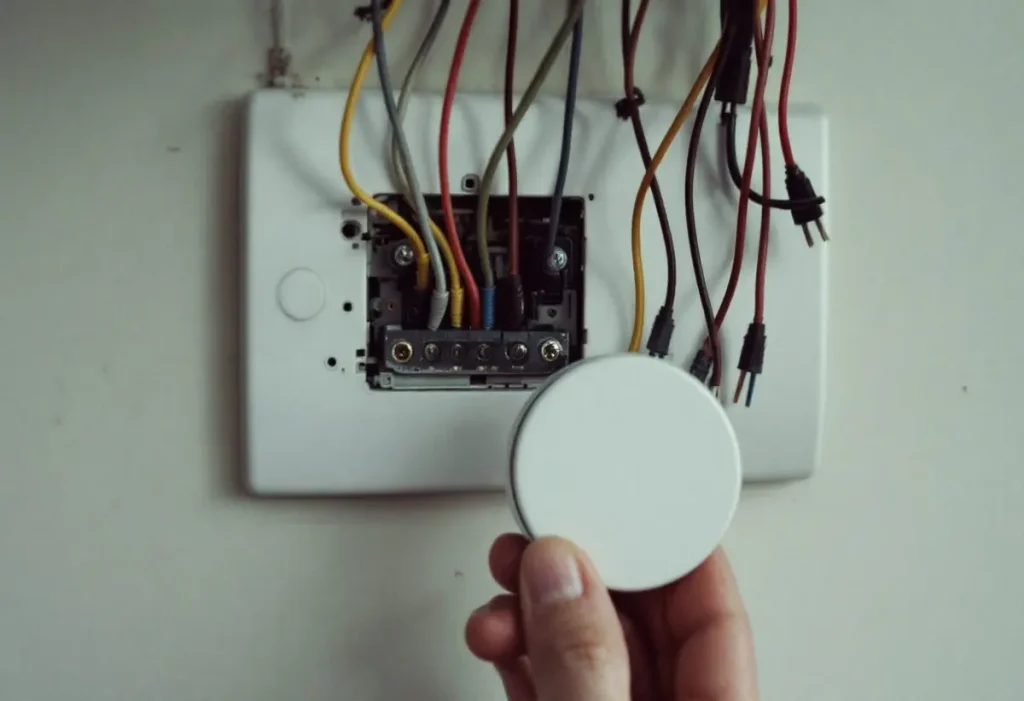
Sensi Touch screen flickering or blank: is the C wire delivering 20 to 30 VAC?
On a Sensi Touch or Touch 2, a dark or flickering screen points to power. The Touch guide says a touchscreen that “is still blank or only flashes” after setup is most likely “not receiving enough power,” and sets the target at 20 to 30 VAC between RH (or RC) and C: “If you have less than 20VAC, the thermostat will not turn on” (Sensi Touch Installation Guide R-5021).
Neither touch model has battery backup, so a furnace power cut, tripped breaker or loose C wire blanks it. Copeland’s order: tug the C wire at the furnace or air handler board and each wire at the thermostat, meter RH to C, then check breakers. Our thermostat wiring color code page explains why a C wire’s color proves nothing, and the smart thermostat installation guide covers adding one. Switch off furnace power before opening its cabinet.
My Sensi thermostat says Call for Service: is that the same as E5?
No. A plain “Call for Service” means the room is moving the wrong way: “heating” on screen while the temperature drops, or “cooling” while it rises (Copeland, Call for Service). Voltage on a wire in the L (diagnostic) terminal also triggers it; Copeland says the L wire “is not needed for normal operation.” A reading of 99F or more, only dashes for room temperature, or 255% humidity means a failed internal sensor, and so does a set point that keeps jumping to 99F: contact Sensi support.
“Call for Service” with E5 (or ES) means “an internal protector in your Sensi thermostat’s power supply has tripped,” usually from a surge or a wiring mistake, and the app setting can drift by as much as 10°F (Copeland, E5 Call for Service). Copeland’s stopgap, with HVAC power off, is moving the C wire to the L terminal, which disables Wi-Fi; the fix is Sensi support at 888.605.7131.
How do you reset a Sensi thermostat, and which model number do you have?
Every Sensi resets at the wall with a model specific sequence; none has a single reset button. The model number is on the back of the cover (smart, Lite) or under About Thermostat (Touch 2). Afterward, reconnect Wi-Fi and allow 30 to 60 minutes for the room temperature to recalibrate (Copeland, Reset Sensi).
| Model | Model numbers | Power | Reset at the wall |
|---|---|---|---|
| Sensi smart | ST55, 1F87U-42WF | 2 AA batteries | Hold up, down and Fan until the display flashes and reboots |
| Sensi Lite | ST25 series, 1F76U-22WFB series | 2 AAA batteries | Hold up, down and Menu (three dots) for 1+ second |
| Sensi Touch | ST75 series, 1F95U-42WF series, NH-AWIFI, OH-AWIFI | C wire, no battery | Menu, About thermostat, Factory Reset |
| Sensi Touch 2 | ST76 series, 1F96U-42WF series | C wire, no battery | Menu icon, About thermostat, Factory Reset |
Compiled by The HVAC Brief from Copeland’s Reset Sensi page and manuals R-5029-2, R-5664-3, R-5021 and R-5580-2.
A Touch 2 factory reset clears “all of your settings except for the HVAC Equipment settings and the Temperature Limits” (Touch 2 Manual Operation Guide R-5580-2), so a wrong O/B setting survives it. Pulling the faceplate and refitting it, which ranking guides call a reset, is only a power cycle.
Sensi not cooling or not heating once the flashing stops: what does the click test prove?
It proves the thermostat is closing its relay. Copeland’s test: Mode Off, back to Cool (or Heat), set point a few degrees past room temperature; within seconds you should hear “a soft clicking sound” and see “Cooling” (Sensi smart), a blue or orange screen (Touch models) or “ON” (Lite) (Copeland, Why isn’t my cooling turning on?). That page says to lower the set point “a few degrees above the room temperature” for cooling; it has to go below.
A click with no response moves the search to the equipment. Replace low batteries on the smart or Lite, then check the furnace switch, blower door, breaker and any blinking board code. RH (or RC) to Y should read 20 VAC or more; below that, Copeland says, the thermostat “will not be able to turn on your system.” If the old thermostat cannot run it either, the fault is in the equipment; our thermostat not working guide sorts next steps. Aux on a Sensi is a mode for backup heat only, not an alert, as our auxiliary heat vs emergency heat page explains. Refrigerant, capacitors and line voltage are technician work: ask for the Y voltage and capacitor reading in microfarads.
Frequently asked questions
Where is the Sensi Lite smart thermostat reset button?
There is none. Copeland’s Sensi Lite reset is a three button hold: up arrow, down arrow and the menu button (three dots) together for 1+ second until the display resets. Then reconnect Wi-Fi in the Sensi app and allow 30 to 60 minutes for the room temperature to recalibrate.
How do you reset a locked Sensi thermostat?
A padlock means Keypad Lockout is on, and a reset is the wrong tool: Copeland’s Touch 2 manual says that while it is on “you can only make changes through the Sensi app.” In the app, tap the thermostat name, the settings gear, then System settings, and toggle Keypad Lockout off.
Why is my Sensi smart thermostat blank?
Usually dead batteries on a unit without a C wire. The Sensi smart holds 2 AA alkaline cells; Copeland’s manual says replace them when the indicator reaches 3 bars, while its support page says 2 bars or less. After fresh cells, allow 1 to 5 minutes for Wi-Fi to reconnect.
Where is the Sensi smart thermostat model number?
On a sticker on the back of the face plate. Pull it straight off the wall; Copeland’s Sensi smart manual says it shows the model number, MAC ID, date code and security code. The Sensi smart is ST55 or 1F87U-42WF, and Copeland uses the MAC ID in place of a serial number for rebates.
Why is my Sensi Lite thermostat not cooling?
Wait 5 minutes first: with A/C Protection on, Copeland says the Lite’s “On” icon is delayed by 5 minutes on a cooling call. If “On” appears and nothing runs, replace the 2 AAA batteries, then check the breaker and the furnace door. Below 20 VAC between RC and Y, the system cannot start.
How we researched this
Researched November 7, 2026. We read six current Copeland Sensi manuals and installation guides (R-5029-2, R-5030-2, R-5580-2, R-5664-3, R-5021 and the Touch 2 instructions) and 17 Sensi support pages, then the ranking guides. We excluded their “Cool On” and “on by default” claims, which no Copeland document supports; two ranking pages blocked access. No hands-on testing: every behavior is Copeland’s description of its own product.
Sources
- Copeland. “A/C Protection.” https://sensi.copeland.com/en-us/support/a-c-protection. Accessed November 2026.
- Copeland. “Reconnect your Sensi Thermostat to Wi-Fi.” https://sensi.copeland.com/en-us/support/reconnecting-sensi-thermostat-to-wifi. Accessed November 2026.
- Copeland. “Sensi Lite smart thermostat Installation Guide, R-5664-3.” https://media.copeland.com/8778ef3f-a339-4e44-b954-b16b010c870b/R-5664%20%2D%20Sensi%20Lite%20%2D%20Install%20Guide.pdf. Accessed November 2026.
- Copeland. “Sensi Touch Smart Thermostat Installation Guide, R-5021.” https://media.copeland.com/dc3459e4-37ae-4670-9108-b16b0106589d/R-5021%20%2D%20Sensi%20Touch%20Thermostat%20Installation%20Guide.pdf. Accessed November 2026.
- Copeland. “Call for Service.” https://sensi.copeland.com/en-us/support/call-for-service. Accessed November 2026.
- Copeland. “E5 (ES) Call for Service Thermostat Error.” https://sensi.copeland.com/en-us/support/e5-thermostat-error. Accessed November 2026.
- Copeland. “How to reset your Sensi thermostat.” https://sensi.copeland.com/en-us/support/reset-sensi. Accessed November 2026.
- Copeland. “Sensi Touch 2 smart thermostat Manual Operation Guide, R-5580-2.” https://media.copeland.com/a67b0fe7-7397-46c8-939d-b16b010c5d13/R-5580%20%2D%20Sensi%20Touch%202%20%2D%20Manual%20Operation%20Guide.pdf. Accessed November 2026.
- Copeland. “Why isn’t my cooling turning on?” Sensi support. https://sensi.copeland.com/en-us/support/why-isnt-my-cooling-turning-on. Accessed November 2026.
- Copeland. “Sensi Smart Thermostat Manual Operation, R-5029-2.” https://media.copeland.com/bfc1e5ef-5156-4617-b9ae-b16b0105589b/R-5029%20%2D%20Sensi%20Smart%20Thermostat%20Manual%20Operation.pdf. Accessed November 2026.
- Copeland. “Why isn’t my heating turning on?” Sensi support. https://sensi.copeland.com/en-us/support/why-isnt-my-heating-turning-on. Accessed November 2026.
- Copeland. “Sensi is not connected to your home network.” https://sensi.copeland.com/en-us/support/why-is-there-an-x-or-an-x-and-wi-fi-icon-on-my-thermostat. Accessed November 2026.
- Copeland. “My screen is blank (Sensi Touch, Touch 2).” https://sensi.copeland.com/en-us/support/blank-screen-after-installing. Accessed November 2026.
- Copeland. “Troubleshooting Sensi thermostat with a frozen display.” https://sensi.copeland.com/en-us/support/my-buttons-do-not-work-or-i-have-a-partial-display. Accessed November 2026.
- Copeland. “What is keypad lockout and how do I use it?” Sensi support. https://sensi.copeland.com/en-us/support/keypad-lockout. Accessed November 2026.
- Copeland. “How do I replace the batteries on my Sensi?” Sensi support. https://sensi.copeland.com/en-us/support/how-do-i-replace-the-batteries-on-a-sensi-wi-fi-thermostat. Accessed November 2026.
- Copeland. “Where can I find the MAC ID of my Sensi thermostat?” Sensi support. https://sensi.copeland.com/en-us/support/sensi-thermostat-mac-id. Accessed November 2026.
Leave a Reply