Honeywell thermostat error codes come in four formats. A flashing “Cool On” or “Wait” is a compressor delay of about 5 minutes, not a fault. Three digit alerts (164 to 607) appear on T6 Pro, FocusPRO and RTH6360 models; E01 to E99 are Wi-Fi faults; E1 on a TH1100DH means replace the thermostat.
Which kind of Honeywell code is on your screen?
Start with the format: Resideo, which makes Honeywell Home thermostats, uses different code systems on different families. A screen with nothing on it is a power problem with no code at all, which our Honeywell blank screen guide sorts by model.
What do Honeywell alerts 164 to 607 mean on T6 Pro, FocusPRO and RTH6360?
No family uses the whole list. The RTH6360 guide defines only five alerts, the T6 Pro installation manual defines ten, and the FocusPRO P200 and S200 manual adds the Wi-Fi and humidity alerts 388 to 607. “Not listed” in the matrix means that family’s manual does not define the code.
| Alert | Maker’s wording | RTH6360 | T6 Pro | FocusPRO P200/S200 | Owner check, or technician job |
|---|---|---|---|---|---|
| 164 | L terminal is energized at equipment: the heat pump reports a problem | no L/A input | yes | yes | Technician reads the heat pump’s own fault display |
| 170 | Memory failure. Replace the thermostat | yes | yes | yes | Replace thermostat |
| 171 | Set Time and Date | not listed | yes | yes | Owner sets the clock |
| 173 | Internal sensor failure. Replace thermostat | yes | yes | yes | Replace thermostat |
| 177 | Invalid reading on wired indoor sensor | not listed | yes, not TH6210U | not listed | Check sensor wires; ISU 500 and 516 must match a 10K or 20K sensor |
| 178 | Invalid reading on wired outdoor sensor | not listed | yes, not TH6210U | yes | Check outdoor sensor wires; ISU 130 |
| 181 | Replace filter 1 reminder | yes | yes | not listed | Change filter, dismiss to reset timer (T6 Pro ISU 711) |
| 182 | Replace filter 2 reminder | not listed | yes | not listed | Owner changes second filter (ISU 712) |
| 388 | Register online | not listed | not listed | yes | Owner registers the thermostat online |
| 399 | WiFi, internet connection lost | not listed | not listed | yes | Owner checks router and internet |
| 400 | WiFi, no Signal | not listed | not listed | yes | Owner checks router range |
| 405 | Low battery: replace within two months (RTH6360) | yes | yes | yes | Owner fits fresh batteries |
| 407 | Critically low battery | yes | yes | yes | Owner fits fresh batteries now |
| 602 | Internal humidity sensor error | not listed | not listed | yes | No fix given in the manual |
| 607 | WiFi network error | not listed | not listed | yes | Owner checks Wi-Fi settings |
Codes such as 168, 175 and 184 to 189 circulate on roundup sites, but none of these three manuals defines them; on a Lyric or T6 Pro Smart, read that model’s own alert table. FocusPRO Wi-Fi alerts “will not be shown when WiFi is set to Off”.
Why is Cool On flashing on a Honeywell thermostat, and for how long?
Flashing “Cool On” or “Heat On” means compressor protection is holding the outdoor unit off. Resideo’s RTH2300 and RTH221 manual says the feature “forces the compressor to wait approximately 5 minutes before restarting”, and the RTH6360 guide gives the same fix: “Wait 5 minutes for the system to restart safely”. On the RTH2300, Heat On flashes instead “if you have a heat pump”.
| Family | What flashes | Delay | Can the installer change it? |
|---|---|---|---|
| RTH2300, RTH221 | Cool On (Heat On with a heat pump) | approximately 5 minutes | Not offered in the manual |
| RTH6360 | Heat On or Cool On | 5 minutes | Not offered in the guide |
| VisionPRO TH8000 | Wait | 5 minutes by default | Setup function 0580: 0, 1, 2, 3 or 4 minutes |
| T6 Pro | Not described in the instructions opened | 1 to 5 minutes | ISU 387: 0 = Off, 1 to 5 minutes |
If Cool On goes steady after 5 minutes but the outdoor unit stays silent, the fault is downstream of the thermostat. Our page on a thermostat that says Cool On but the AC is not running works through those in order, with the readings a technician takes at each one.
Honeywell code 164: is the heat pump or the thermostat at fault?
Code 164 is the heat pump, not the thermostat. The T6 Pro manual says it “indicates L terminal is energized at equipment. This is the heat pump telling the thermostat that there is a problem with the heat pump.”
On a T6 Pro, the wiring table labels L/A as “Heat Pump fault input (Common (C) wire required for LA/A)”, so a T6 Pro running on AA batteries alone cannot show 164. And the RTH6360 guide states the model “doesn’t support the heat pump fault alert (L/A terminal)”, so an RTH6360 owner never sees it even with a sick heat pump. Our thermostat wiring color code guide shows where the L wire lands.
Stop line: the fix for 164 is inside the outdoor unit, behind line voltage wiring and a capacitor that can hold a charge. A technician reads the fault display on the heat pump’s own control board first. Our list of common heat pump faults shows what those board codes usually point to.
What do Honeywell E01, E02, E42, E43 and E99 mean?
These five are Wi-Fi faults; none describes the furnace or air conditioner. The RTH6500WF Smart Series user guide 69-2715EF says the code shows alone in the time area first, then “alternates with the time” after a few minutes. The FocusPRO TH6320WF guide (69-2736EFS) repeats E42, E43 and E99 word for word.
| Code | Maker’s wording | Maker’s action |
|---|---|---|
| E01 | During Wi-Fi Setup, the router lost power | Ensure your router has power |
| E02 | Invalid Wi-Fi password; shows for 30 seconds, then setup restarts | Re-enter the home network password |
| E42 | Router is not issuing an IP address to the thermostat | Wait for 30 minutes; remove from wallplate for 10 seconds; check router IP assignment |
| E43 | No internet connection; cannot reach Total Connect Comfort | Check the internet cable; reboot the router |
| E99 | General error | Remove thermostat from wallplate for 10 seconds, then reconnect |
The VisionPRO 8000 Smart guide (TH8321WF) shows the same three failures as words on a Connection Failed screen: Invalid Password, No IP Address and No Internet Link.
Which Honeywell codes mean the thermostat itself has to be replaced?
Three do: 170 and 173 on the alert families, plus E1 on the basic non-programmable line. Resideo’s wording for 170 is “Memory failure. Replace the thermostat”, and for 173 “an alert to replace thermostat due to an internal sensor failure”. Honeywell Home’s support answer for the TH1100DH, TH1110DH and TH1210DH reads, in full, “E1 = Replace the thermostat“.
We found no maker document defining E2, E3 or E4; Honeywell Home’s TH1100DV support page carried no E2 text when we opened it. Before replacing a unit for 173, note that wired sensor faults on a T6 Pro are 177 and 178, which are wiring problems.
How do you clear, snooze or reset a Honeywell alert?
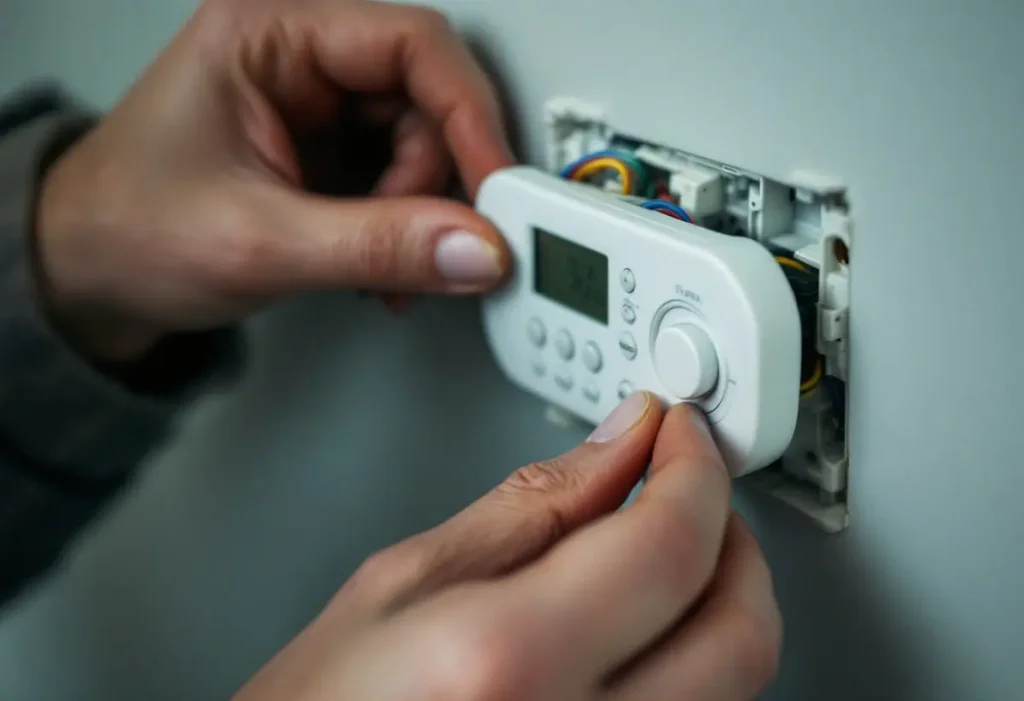
It differs by family. On a T6 Pro, press Menu until ALRT shows, then Select to view, Select again to snooze for 7 days, or step to CLER to clear; the manual warns that “Some alerts cannot be snoozed or cleared”. The FocusPRO manual is blunter: “An alert cannot be dismissed.” On an RTH6360, snoozed alerts reappear 7 days later, and 181 is reset by touching dismiss after the new filter goes in.
The older RTH2300 has no number at all for its filter reminder: “Change Filter” flashes, and you “press and hold the RUN button for 3 seconds to reset the alert”. Its battery warning, Lo Batt, appears 60 days before the two AAA cells die. On a T6 Pro, BATT with the alert icon is code 405, and Resideo says the backlight is disabled to save battery power; at 407 only BATT, the alert icon and the battery icon remain. If the screen stays dark, the thermostat not working symptom guide picks up from there.
Frequently asked questions
Why is my Honeywell AC thermostat blinking Cool On?
Blinking Cool On is compressor protection, not a fault. Resideo’s RTH2300 manual says the feature makes the compressor wait approximately 5 minutes before restarting, and the message stops flashing once the outdoor unit starts. If it goes steady and the outdoor unit still does not run, check the breaker and float switch.
How do I reset the change filter reminder on a Honeywell thermostat?
On an RTH2300, fit the new filter, then press and hold RUN for 3 seconds. On an RTH6360 the reminder is alert 181: touch dismiss on the screen and the timer restarts. On a T6 Pro, 181 and 182 are filter 1 and filter 2, timed by installer settings ISU 711 and 712 in fan run time or calendar days.
Is a blank Honeywell thermostat screen an error code?
No. A blank display carries no code; it means the screen lost power. Resideo’s RTH6360 guide lists “Display is blank” with one fix, fresh AA alkaline batteries, because its C wire does not power the display. Other models fail differently, so match the fix to your model number.
Do Honeywell T9 and T10 thermostats show error codes?
The T9 RCHT9610WFW2004 installation guide we opened contains no numbered code table. It describes alerts sent to your mobile device instead, such as when the basement is so cold a pipe could burst. For a T9 or T10 alert, read the wording of the alert on your phone rather than matching the alert to the 164 to 607 list, which comes from T6 Pro, FocusPRO and RTH6360 manuals.
How we researched this
On 9 November 2026 we read the alert and troubleshooting sections of the eleven Resideo and Honeywell Home documents in the source list, plus the FocusPRO TH6320WF guide 69-2736EFS (ManualsLib copy). A code entered a table only if one of those documents defines it. Codes seen only on roundup sites (168, 175, 184 to 189, 210, 508, E2, E3, E4) were excluded. No equipment was tested.
Sources
- Resideo. “RTH6360 Series Programmable Thermostat, 33-00201EF.” https://digitalassets.resideo.com/damroot/Original/10015/33-00201EF.pdf. Accessed November 2026.
- Resideo. “RTH2300/RTH221 Series Programmable Thermostat Owner’s Manual, 33-00102EF.” https://customer.resideo.com/resources/techlit/TechLitDocuments/33-00000s/33-00102EF.pdf. Accessed November 2026.
- Resideo. “T6 Pro Installation Manual: 7. Alerts and Reminders.” https://docs.honeywellhome.com/t6-pro-ii/en-us/Content/Installation-Instructions/7.%20Alerts%20and%20Reminders.htm. Accessed November 2026.
- Resideo. “FocusPRO P200 and S200 Series Thermostats Installation Manual: Alerts.” https://docs.honeywellhome.com/focuspro-p200-s200-im/en-us/Content/Installation-Manual/Alerts.htm. Accessed November 2026.
- Honeywell Home (Resideo). “RTH6500WF Smart Series User Guide, 69-2715EF: Troubleshooting” (ManualsLib copy). https://manualslib.mx/manual/277933/Honeywell-Home-Smart-Serie.html?page=23. Accessed November 2026.
- Honeywell Home. “Why is my TH1100DH/TH1110DH/TH1210DH showing an error message E1?” https://www.honeywellhome.com/us/en/support/why-is-my-th1100dh-th1110dh-th1210dh-showing-an-error-message-e1/. Accessed November 2026.
- Resideo. “T6 Pro Programmable Thermostat Installation Instructions” (Energy Control distributor copy). https://www.energycontrol.com/SPEC/Honeywell/T6-Pro-Programmable-Thermostat_Install.html. Accessed November 2026.
- Resideo. “VisionPRO TH8000 Series Touch-screen Programmable Thermostat Installation Guide, 69-1896.” https://customer.resideo.com/resources/Techlit/TechLitDocuments/69-0000s/69-1896.pdf. Accessed November 2026.
- Resideo. “VisionPRO 8000 Smart Installation Guide (TH8321WF1001)” (Gemaire distributor copy). https://resource.ecmdi.com/is/content/Watscocom/Gemaire/honeywell-home_th8321wf1001u_en_ii.pdf. Accessed November 2026.
- Resideo. “T9 Smart Thermostat RCHT9610WFW2004 Installation Guide” (Lowe’s copy). https://pdf.lowes.com/productdocuments/0217d5da-23ac-452a-b79f-cd234d0d93d0/50283848.pdf. Accessed November 2026.
Leave a Reply